
Use Blocks for Creating ConvertKit Email Templates
Blocks is a user-friendly and flexible email editor. With Blocks, you can speed up your email production, test your templates, and export them to ConvertKit or any other platform that supports HTML. Create your first email template now: you can use either a drag-n-drop email builder or HTML editor - the choice is yours! Either way, you’ll get a gorgeous responsive email template.
8 Reasons to Use Our ConvertKit Email Templates
1. No-code Email Builder
With Blocks, you can create ConvertKit email templates without touching the HTML code! Use our simple interface to create and customize every element of your email template. Develop ConvertKit templates without coding! Use our ready-made email elements to work even faster and better.
2. HTML Email Editor
Create an email from scratch or choose a ready-made email template for ConvertKit and add custom HTML elements if you need. You can use both the drag-n-drop editor and HTML builder without opening new tabs in your browser: everything you need in one place!
3. Use Structures and Atoms to Design ConvertKit Templates With Ease
Don’t waste time on email production — instead, use our ready-made email elements to create templates for ConvertKit within minutes! Just choose the elements you need from our collection of structures and atoms: this way, you can easily add a picture, button, CTA, table, caption, and many other elements to your email template. Speed up your ConvertKit email production even more: save email elements to use them in future campaigns!
4. Organize & Save Email Elements for Later Use
Create ConvertKit email templates for any purpose or event and save your templates and email elements for later. You won’t need to search for design elements or templates in the future, if you organize all the details of email campaigns in our convenient Projects!
5. Responsive Email Templates for ConvertKit
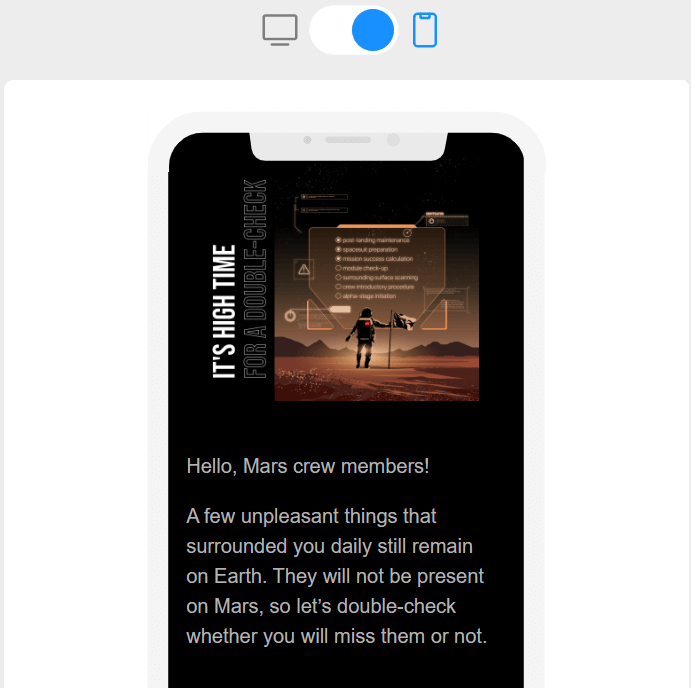
Want your emails to look gorgeous on both desktop and mobile devices? With Blocks, you can create great email templates that are fully compatible with any device: be it a laptop, a smartphone, or a tablet. If you’re worried about your email’s responsiveness, just check your template in the preview mode and edit it if necessary.
6. Dynamic Email Elements
Want to use dynamic elements in your emails? It’s not a problem anymore! You can easily add the dynamic elements to the HTML code without worrying about the quality of your email. Blocks supports the syntax of the following platforms: ExpertSender, Bloomreach (Exponea), Unisender, enKod, SendPulse, SendGrid, Carrot quest, Mailganer, Sendsay, GetResponse, Mailchimp.
You can edit the dynamic code right in the builder and personalize your campaigns as you please!
7. Collaborative Tools: Work Together With Your Team Members
Want to work on ConvertKit templates together with your colleagues? With Blocks, you can discuss email templates right in the editor! Collaborate in building email templates and organize your team’s work in one place. Try it out: it’s fast and convenient!
8. Clean HTML Code
Our email builder does not add any additional symbols to the HTML code: each time you create an email with Blocks, you get a beautiful email template that looks great on any platform that supports HTML. No need to worry about code cleanliness anymore!
Summary
Our email templates are perfect for ConvertKit! Create beautiful ConvertKit email templates with our email builder. Our benefits are:
- no-code drag-n-drop email editor;
- HTML code editor;
- ready-made email elements that can be saved and used later;
- mobile-friendly email templates;
- dynamic code for personalized email campaigns;
- collaborative tools for team work;
- clean HTML code.